Set your desk so your elbows sit at about a 90-degree angle and your monitor top lands at or just below eye level. That single change resolves most standing desk posture problems on its own. Measure your standing elbow height right now, set the desk to match, and keep knees soft, not locked, while you work. Everything else in this guide fine-tunes around that one fix.
TL;DR:
- Standing desk setups should be customized with the desk at elbow height based on measurement, not guesswork, to avoid strain and poor posture.
- Maintaining proper head, spine, hips, knees, feet, and arm alignment is essential, avoiding common errors like locked knees and monitor misplacement.
- Gradually increasing standing time from 10-15 minutes per hour to the recommended 30 minutes, while monitoring symptoms, helps prevent discomfort and injury.
- Movement breaks, supportive footwear, and shifting weight frequently are key to sustainable standing desk use and reducing fatigue.
- Professional assessment is recommended if posture-related pain persists beyond two to three weeks or shows nerve-related symptoms, as proper diagnosis guides effective correction.
Table of Contents
- What Does Good Standing Desk Posture Actually Look Like?
- How Do You Set Up a Standing Desk Correctly?
- How Long Should You Stand at a Standing Desk?
- What Mistakes Ruin Standing Desk Posture?
- Do Anti-Fatigue Mats and Footwear Actually Help?
- When Should You See a Professional About Posture?
- Standing Desks Won’t Fix Bad Habits by Themselves
- Posture Assessments Built Around How You Actually Work
- Sources
- FAQ
What Does Good Standing Desk Posture Actually Look Like?
Good standing posture starts at the head and works down, and most people get at least two of these points wrong without realizing it.
Your head should stack directly over your shoulders, not jut forward toward the screen. Forward head posture is the most common desk-related misalignment, and it’s also one of the more fixable ones. A 2024 controlled study found that switching to a standing desk measurably increased craniovertebral angle, the technical measure of how far the head sits forward relative to the shoulders, while also reducing fatigue in the levator scapulae, the muscle that runs from your neck to your shoulder blade and takes the brunt of a jutting head. Translation: standing itself nudges your head back into better alignment, but only if you’re not just standing there and craning at the screen anyway.
Below the neck, here’s what to check:
- Spine: Keep the natural S curve of your back. Don’t flatten it by tucking your pelvis under, and don’t overarch by pushing your hips forward.
- Hips and pelvis: Stay neutral, with weight distributed evenly across both feet rather than leaning into one hip.
- Knees: Keep a soft, slight bend. Locked knees shift load straight into the lower back and cut off the small stabilizing work your leg muscles should be doing.
- Feet: Stand roughly hip-width apart. Shift your weight occasionally rather than planting yourself in one spot for an hour.
- Arms: Elbows near 90 degrees, forearms close to parallel with the desk surface.
None of these positions feel like “standing at attention.” Good standing posture is closer to a relaxed, ready stance, the kind you’d use if someone were about to toss you a ball.
Pro Tip: Do a wall check once a day. Stand with your heels, glutes, shoulder blades, and the back of your head all lightly touching a wall. That’s roughly your neutral alignment. Step away and try to hold the same feeling at your desk.
How Do You Set Up a Standing Desk Correctly?
Desk height is not a guess. It’s a measurement, and it takes about two minutes to get right.
- Measure your standing elbow height. Stand relaxed, arms hanging naturally, then bend your elbows to 90 degrees. Measure from the floor to the bottom of your elbow. That number is your desk height.
- Set the desk to that measurement. Most electric standing desks have memory presets. Save this number so you’re not re-measuring every day.
- Position the monitor. The top third of the screen should sit at or slightly below eye level, roughly an arm’s length away. Occupational ergonomics guidance recommends the screen sit between straight-ahead and about 30 to 35 degrees below horizontal, which naturally keeps your chin tucked instead of tilted up.
- Bring the keyboard and mouse close. They should sit at the same height as your relaxed elbows, close enough that you’re not reaching. Wrists should stay flat and neutral, not bent up or down.
- Recheck after every height change. Switching between sitting and standing shifts everything. A monitor arm or keyboard tray with a memory setting saves you from redoing this every single time.
A few extra notes worth knowing:
- If you run dual monitors, center the seam between them at eye level rather than centering one screen and angling your neck toward the second.
- Research on standing workstation preferences found that people often prefer the keyboard slightly farther away and the monitor slightly lower when standing compared to sitting, so don’t assume your sitting setup transfers directly.
- If your reach to the keyboard causes even mild shoulder tension, move it closer before you touch anything else.
Small, individual differences matter here. Treat these numbers as a starting point, then adjust in quarter-inch increments until nothing feels like a stretch.
How Long Should You Stand at a Standing Desk?
The most common recommendation is a 30 minute sit, 15 minute stand cycle, and it now has real trial data behind it. Other popular patterns include the 20/8/2 rule (20 minutes sitting, 8 minutes standing, 2 minutes moving) and looser 30 to 60 minute alternation windows for people who don’t want to set a timer that often.
A 2025 randomized trial of 56 desk workers compared a fixed 30:15 sit-stand ratio against a personalized, self-selected ratio. After three months, the fixed group saw average lower back pain drop by 0.83 points on a 10-point scale and stuck with the routine more consistently than the group choosing their own schedule.
That’s a modest number on paper, but the adherence finding matters more than the pain score. A schedule people actually follow beats an ideal ratio nobody sticks with. If you’ve never used a standing desk before, don’t jump straight into 30:15.
- Week 1 to 2: Stand for 10 to 15 minutes per hour. Let your calves and feet adjust.
- Week 3 to 4: Move toward the 30:15 pattern, or try 20/8/2 if that rhythm fits your work style better.
- Ongoing: Adjust based on how you feel, not a fixed rulebook. Some days call for more sitting.
Watch for signals that mean you should back off and possibly get checked: pain that increases rather than settles, swelling in the ankles or feet, numbness, tingling, or any shooting pain down a leg. Muscle fatigue from a new routine is normal. Nerve-type symptoms are not, and they’re worth a professional look rather than pushing through.
What Mistakes Ruin Standing Desk Posture?
Most standing desk pain doesn’t come from standing itself. It comes from five repeatable setup errors.
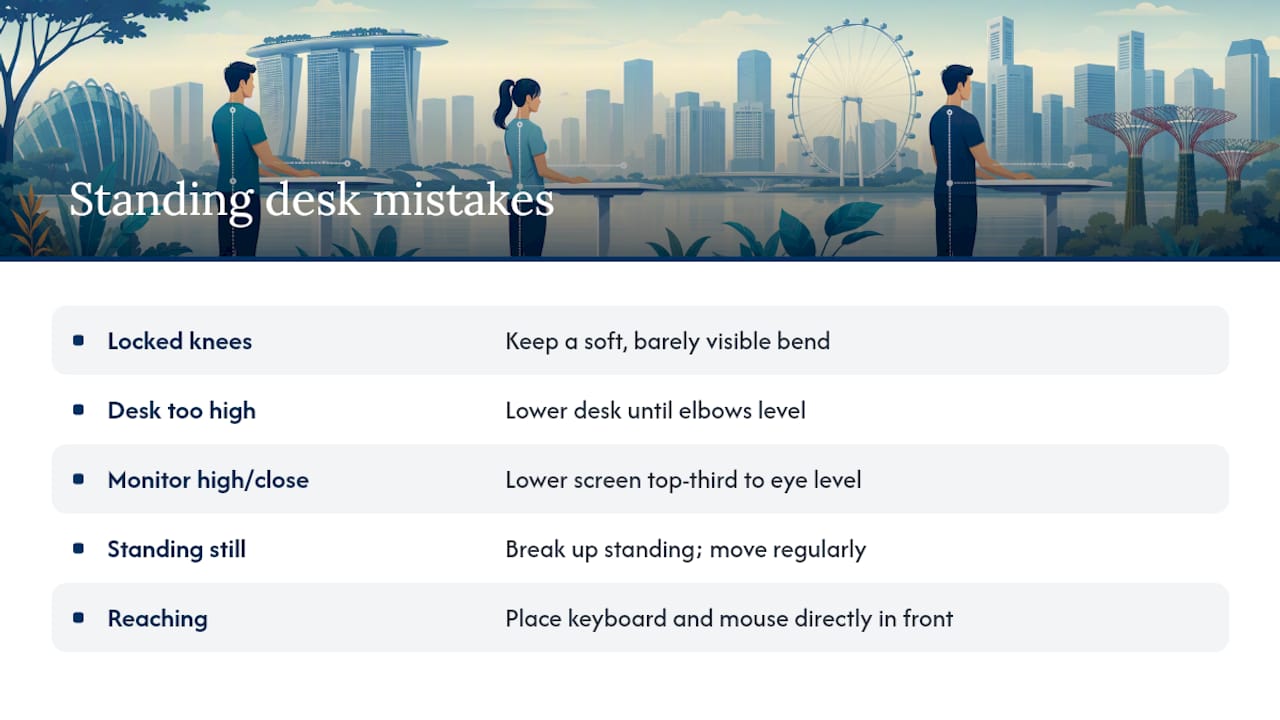
Locking the knees. This is the single most common mistake, and it’s almost always unconscious. Locked knees push your pelvis forward and load your lower back with weight your legs should be absorbing. Fix: keep a soft, barely visible bend, and consciously “unlock” every time you catch yourself standing stiff.
Desk set too high. If your shoulders creep up toward your ears within the first ten minutes, your desk is too high. Test it by relaxing your arms at your sides; if your elbows sit noticeably below the desk surface, lower it.
Monitor too high or too close. This drags the chin up and the head forward, undoing the exact alignment benefit standing is supposed to give you. A quick fix: step back from the desk, lower the screen until the top third lines up with your eyes, then push it back to arm’s length.
Standing still for hours. Static standing, without any movement, causes its own fatigue and swelling. Harvard Health’s review of standing desk research found the calorie difference between sitting and standing is small (about 80 versus 88 calories per hour), and that most of the real benefit comes from breaking up sedentary time with movement, not from standing motionless instead of sitting motionless.
Reaching for the keyboard or mouse. Even an inch or two of extra reach, repeated hundreds of times a day, adds up to shoulder and wrist strain. Bring both inputs directly in front of you, elbows at your sides.
Pro Tip: Set a recurring alarm for the first two weeks on a new standing routine. Muscle memory for “correct” posture takes longer to build than most people expect, and a reminder beats relying on willpower.
Do Anti-Fatigue Mats and Footwear Actually Help?
An anti-fatigue mat helps when you’re standing on hard flooring for more than 20 to 30 minutes at a stretch. It gives slightly under your feet, which encourages the small weight shifts your body needs anyway. On carpet, the benefit shrinks considerably, so don’t assume a mat is mandatory everywhere.
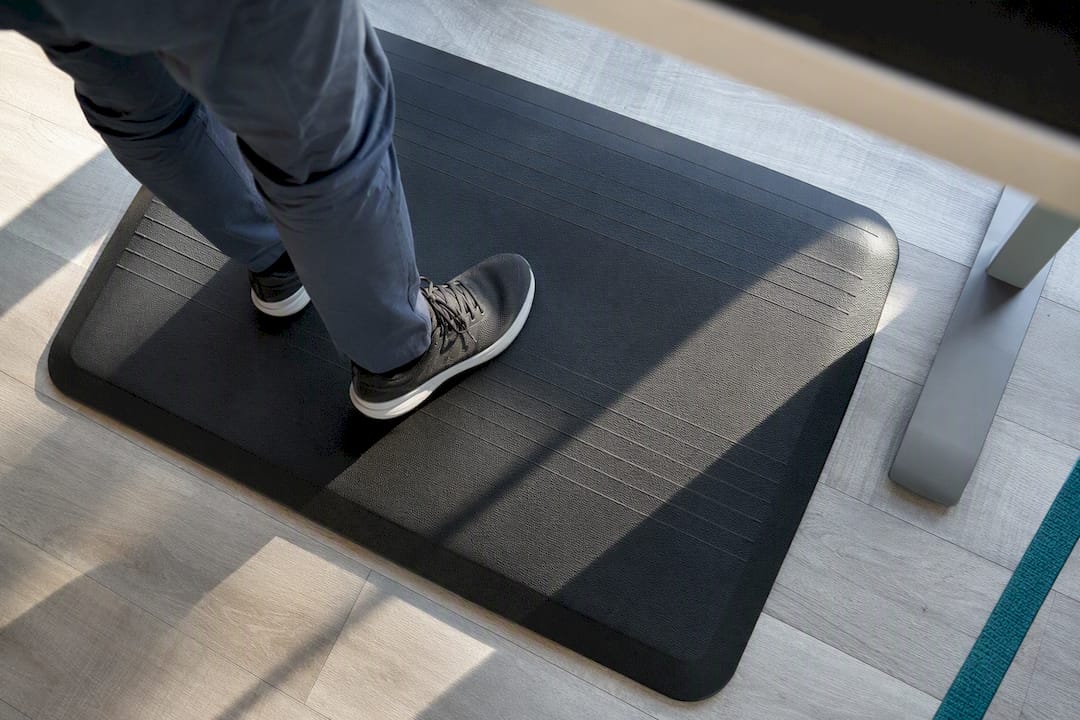
Footwear matters more than most people think. Supportive soles with a low, stable heel beat flat dress shoes or anything with a rigid, unforgiving sole. If your workplace dress code limits your options, keep a pair of supportive shoes at your desk and change into them for longer standing stretches.
A few more ways to make standing sustainable through the day:
- Shift your weight or take a few steps every 10 to 15 minutes, rather than planting yourself in one spot.
- Use a small footrest or step to prop one foot up occasionally, then switch. This is a simple trick for relieving lower back load during longer standing blocks.
- Take a genuine short walk every hour, even just to refill water. It resets circulation more effectively than shifting weight in place.
- If you notice ankle or foot swelling by the end of the day, that’s a cue to cut standing time and check with a doctor if it persists.
If you want more daily strategies that pair with standing desk changes, Everton Chiropractic’s guide to workday spinal care covers stretches designed for exactly this kind of desk routine. Coworking spaces and flexible offices raise a related problem worth planning for: you often can’t customize a shared desk the way you can your own, so guides to setting up flexible or hot-desk workstations are worth a look if you rotate between desks regularly.
When Should You See a Professional About Posture?
Most standing desk discomfort resolves with the adjustments above, given a week or two of consistent practice. Some symptoms don’t fall into that category, and pushing through them is the wrong move.
Get assessed if you notice any of the following:
- Numbness, tingling, or shooting pain radiating into an arm or leg
- Weakness that seems to be getting worse rather than better
- Pain that doesn’t ease after two to three weeks of correct setup and gradual standing progression
- Balance problems or dizziness connected to posture changes
A clinical posture assessment goes beyond what you can self-check in a mirror. It typically includes movement screening, checking spinal alignment through the neck and upper back, and functional testing to see how your body handles load in real positions, not just standing still. From there, a tailored plan addresses what’s actually driving the discomfort, whether that’s years of forward head posture, an old injury, or a desk setup that’s been wrong for longer than you realized.
At Everton Chiropractic, Dr. Richard’s approach treats desk-related pain as a starting point for a longer conversation about movement and function, not just a quick adjustment and a goodbye. The goal is figuring out why the pain showed up in the first place, then building a plan around your actual work setup and daily habits.
Try the home fixes first: correct desk height, monitor position, movement breaks, supportive footwear. If symptoms persist past a few weeks or include any of the red flags above, that’s the point to book an assessment for posture correction rather than keep guessing.
Standing Desks Won’t Fix Bad Habits by Themselves
Here’s the misconception I run into constantly: people buy a standing desk expecting it to solve their posture problems automatically, the way a new mattress is supposed to fix your sleep. It doesn’t work that way. A standing desk is a tool that makes better movement possible. It doesn’t make better movement happen.
The research backs this up. Standing burns barely more calories than sitting, and the real payoff comes from breaking up long stretches of stillness, not from the position itself. Someone who stands rigidly for six hours with locked knees and a jutted-forward neck is arguably worse off than someone who sits well and gets up to walk every 45 minutes.
If you take one thing from this guide, let it be this: prioritize gradual habit change over chasing a perfect, textbook posture. Ask yourself three questions before deciding whether to self-manage or book a professional assessment: Does the pain improve within two weeks of correct setup? Is it isolated to muscle fatigue rather than nerve-type symptoms? Can you identify a clear setup cause? If you answer no to any of these, that’s your cue to get it checked rather than keep adjusting on your own.
— Aman
Posture Assessments Built Around How You Actually Work
A generic ergonomics checklist can only take you so far when the pain keeps coming back despite a well-set desk. That’s where a posture assessment earns its keep: it looks at how your spine, shoulders, and movement patterns actually function together, not just whether your monitor is at the right height.
A first visit with a chiropractor typically starts with a movement and alignment assessment to find out whether your discomfort is coming from desk setup, an old injury, years of accumulated postural strain, or some combination. From there, the practitioner builds a plan suited to your work routine and goals, whether that’s someone spending eight hours a day at a standing desk or an athlete managing an old injury alongside a desk job. This isn’t a one-size-fits-all adjustment plan. It’s built around your specific pattern of strain and how you actually move through your day.
If your standing desk setup is right but the pain hasn’t budged after a few weeks, that’s a sign worth acting on. Understand what a chiropractic assessment involves and book a visit to get a clear read on what’s actually causing the discomfort.
Sources
For readers who want the underlying evidence rather than the summary version: the 2025 randomized trial on sit-stand ratios shows why 30:15 works as a starting schedule, the 2024 postural study explains the neck-alignment mechanics behind standing desks, and CCOHS’s office ergonomics guidance covers the setup standards this article builds on.
- Do fixed or personalised sit-stand desk ratios improve lower back? A randomized trial (2025)
- Effects of postural changes using a standing desk on craniovertebral angle and muscle fatigue (2024)
- CCOHS: Office Ergonomics – Sit/Stand Desk
FAQ
Do standing desks really help with posture?
Yes, but with a caveat. Standing desks can measurably improve craniovertebral angle and reduce neck muscle fatigue, though the benefit depends on correct desk height and taking movement breaks rather than standing rigidly for hours.
What is the 20/8/2 rule for standing desks?
It’s a sit-stand-move cycle: 20 minutes sitting, 8 minutes standing, and 2 minutes of light movement or walking, repeated throughout the workday as an alternative to the more common 30:15 pattern.
What is the best posture for a standing desk?
Elbows near 90 degrees, monitor top at or just below eye level, a neutral spine, soft (not locked) knees, and even weight across both feet, adjusted with occasional shifts rather than one fixed stance.
What are the downsides of using a standing desk?
Standing motionless for long stretches can cause its own fatigue, swelling, and lower back strain, and the calorie benefit over sitting is minimal. The fix is alternating with sitting and building in regular movement rather than treating standing as the whole solution.